
Names in the Mission Control overview
A colour label over each desktop’s thumbnail, where your eyes already are.

Our own product
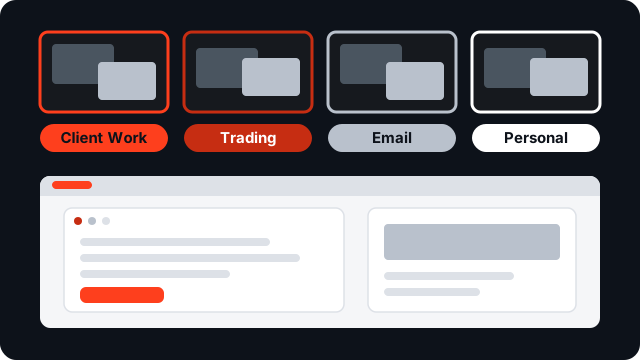
In detail
A colour label over each desktop’s thumbnail, where your eyes already are.
The name also flashes on screen as you switch desktops.
Works with “Displays have separate Spaces” on or off.
A global hotkey to flash the current name; switch to a desktop by name.
Made for
DeskStag runs on Apple Silicon Macs (M1 and later) on macOS 13 or later.
Questions
Apple Silicon Macs (M1 and later) on macOS 13 or later. It does not run on Intel Macs.
DeskStag is notarised by Apple and runs on a completely stock Mac. The one permission it asks for is Accessibility: it’s how the app finds each Mission Control thumbnail and reads where it is on screen, so it can put your label there.
Up to 5 Macs that you personally own or control.
The 14-day trial is the full app, so you’ll know before you pay. And if you buy and change your mind within 14 days of purchase, reply to your Paddle receipt for a full refund.
App Store apps must run in Apple’s sandbox, which forbids the cross-process work needed to draw inside Mission Control — which is why every App Store alternative is menu-bar-only. DeskStag is sold directly and notarised by Apple, the same route as Bartender, BetterTouchTool, and Alfred.
Mission Control’s internals are undocumented, so a release can move things. Your saved names are kept, and depending on what changed you’ll either see a note in the menu bar that Spaces support is unavailable, or the labels will simply pause until the fix lands. Fixes ship as free updates — we test against developer betas.
Quit DeskStag and drag it to the Bin. Your names and licence stay in macOS’s settings store and Keychain, so a reinstall picks up where you left off. If you want the Accessibility permission gone too, remove it in System Settings.
DeskStag's home is deskstag.com: everything about the app, and the download, is there.